%%{init: {'theme': 'base', 'htmlLabels': false, 'themeVariables': {'fontSize': '26px', 'fontFamily': 'Helvetica Neue, Arial, sans-serif', 'primaryColor': '#f0f1ed', 'primaryBorderColor': '#434739', 'primaryTextColor': '#14140f', 'lineColor': '#434739'}, 'flowchart': {'htmlLabels': false, 'padding': 24, 'nodeSpacing': 60, 'rankSpacing': 70}}}%%
flowchart LR
  A["Oral disputation<br/>one → few"] --> B["Manuscript<br/>one → few"]
  B --> C["Printed thesis<br/>one → many"]
  C --> D["PDF<br/>one → many, faster"]
Writing an AI-Native Dissertation
AIME-Con 2026 · Training Session
Damian Betebenner · Center for Assessment
AI is like a…
0:00
“AI is like a ________________”
Take two minutes. Write down three metaphors or analogies for what AI is to you.
How we picture AI quietly decides what we think it can do for us.
Introductions, through your metaphors
0:03
Around the room, please share:
- Your name, where you’re from, and your research area
- How you use AI today — work, life, both
- Your three metaphors (we’ll write them up)
- What you’d like to walk out with today
Our metaphors
0:13
| Who | AI is like… | …and like… | …and like… |
|---|---|---|---|
My answer
AI is intellectual alchemy: the transmutation of accumulated human symbols into new forms of cognition, agency, and world-making.
What was scarce becomes abundant
0:16
For all of history
Intelligence — the capacity to reason, analyze, write, explain — has been scarce.
Careers, institutions, and dissertations are built on that scarcity.
Now
AI makes intelligence abundant.
That is a disruptive innovation for intelligence workers.
That is us.
The wave, and our surfboards
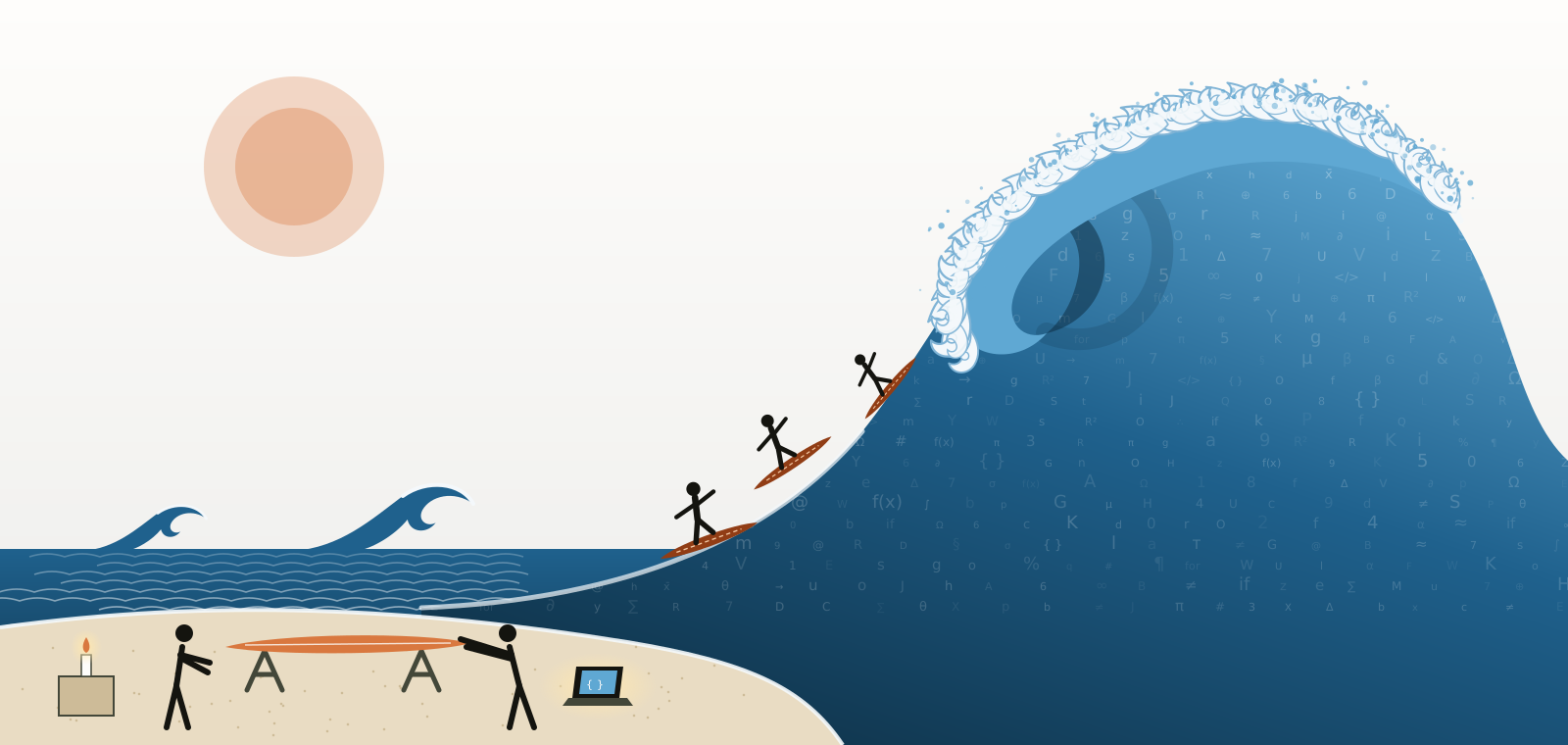
AI is a fast-approaching tsunami. We are building surfboards — with AI — to ride it.
What our metaphors do to us
0:20
Limiting pictures
- “a search engine” → ask a question, take an answer
- “a calculator” → expect one right output
- “a robot” → issue commands
Expansive pictures
- “a collaborator” → iterate together
- “a lens” → see your own work differently
- “a medium” → new forms of expression
Today we treat AI as a medium for transmitting what you know — and as a collaborator in building it, never its author.
Ask your AI the same question
0:22
Open your AI and ask:
“Finish this sentence three ways, honestly: ‘AI is like a…’. Then tell me which of those pictures would make me use you badly.”
We’ll compare answers — and keep them. We come back to all of these at the end.
Today
0:25
| Time | Block |
|---|---|
| 0:00 | AI is like a… and introductions |
| 0:25 | Why — the dissertation as a way of transmitting knowledge |
| 0:45 | What you’ll build — your dissertation as a platform |
| 1:05 | Hands-on 1 — create your dissertation and meet your repository |
| 1:50 | Break |
| 2:05 | Hands-on 2 — build your knowledge base; write → render → review |
| 2:55 | Hands-on 3 — publish |
| 3:20 | The harness is yours — making the AI work your way |
| 3:40 | Ethics, attribution, what’s next · Q&A |
About half of today is hands-on, on your own dissertation.
Why
Part I
What is a dissertation, really?
A question worth asking
What is a dissertation?
At its core: a technology for moving understanding from one mind to others.
Like every technology, it has changed. Less than we think.
Six centuries, one modality
- Oral (pre-1200s): knowledge lived in people; died with them
- Medieval university: lectio, quaestio, disputatio — the thesis as a proposition to defend
- Print (1450s→): reproducible, asynchronous — changed the reach, not the modality
- PDF (1990s→): global — but a digital photocopy; data and code “available upon request”
We digitized the container
We digitized the container, not the knowledge.
In every era: one human writes → one human reads, in linear text.
What if that is no longer the only option?
The shift
For the first time, the consumers of research are not exclusively human.
- AI agents read, summarize, and reason about research — and can act on it
- Structured sources (a specification, a knowledge base) make research addressable, not just readable
- Applications let non-specialists explore findings themselves
- Version control + automation make every number reproducible on demand
Relevance, when the readers are machines
0:40
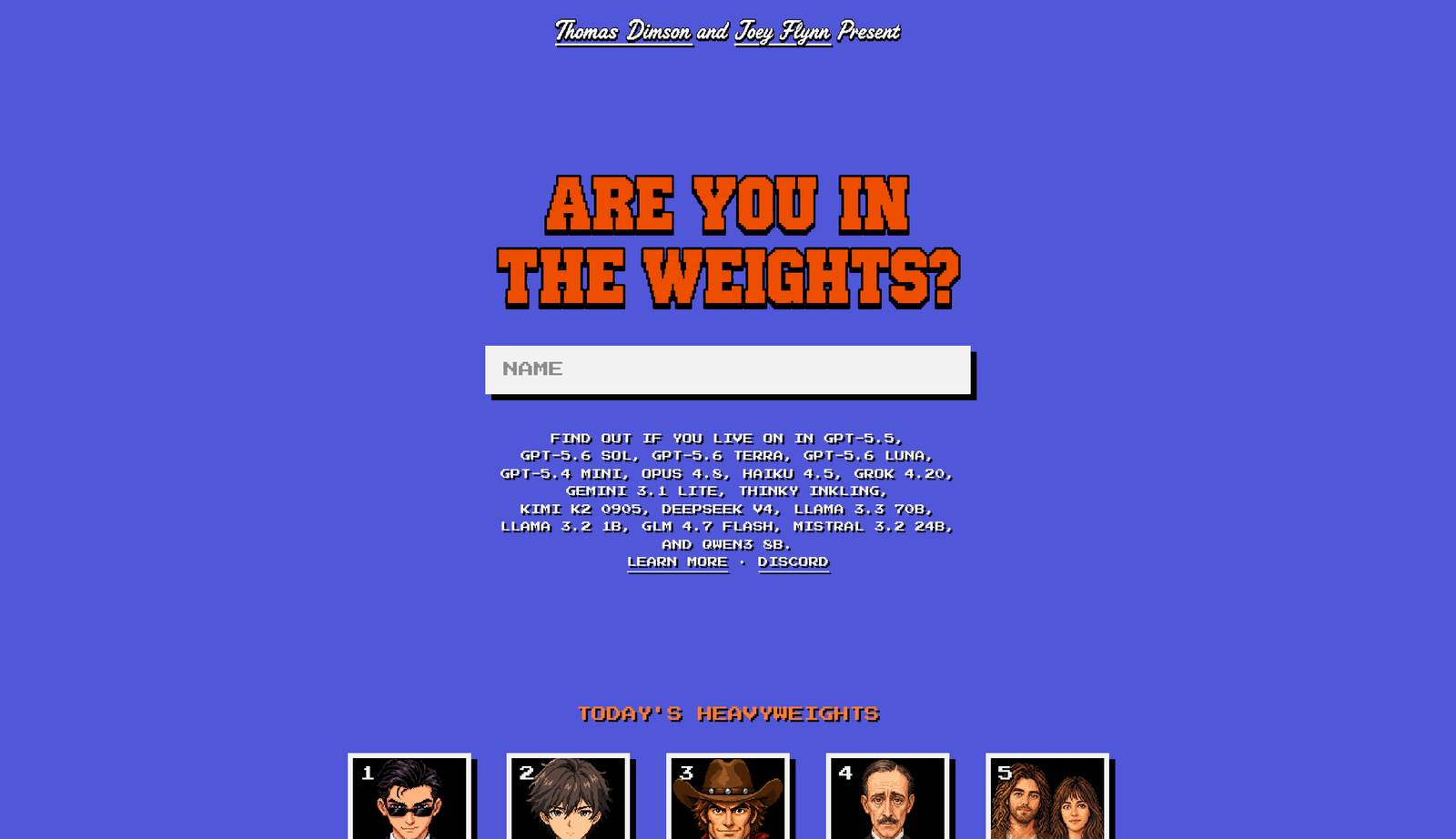
Are you in the weights? — intheweights.com, Thomas Dimson & Joey Flynn
“In the weights”: a model recalls you without searching the web. A kind of fame that lives as long as the model does.
For a scholar, relevance now has a second audience:
- Is your work in the weights — or easy for an AI to find, read and cite correctly?
- A PDF behind a login is close to invisible to it.
The site is a toy: its scores are uncalibrated, and models invent biographies. Being recalled is not being right.
One source, many channels
%%{init: {'theme': 'base', 'htmlLabels': false, 'themeVariables': {'fontSize': '26px', 'fontFamily': 'Helvetica Neue, Arial, sans-serif', 'primaryColor': '#f0f1ed', 'primaryBorderColor': '#434739', 'primaryTextColor': '#14140f', 'lineColor': '#434739'}, 'flowchart': {'htmlLabels': false, 'padding': 24, 'nodeSpacing': 60, 'rankSpacing': 70}}}%%
flowchart TB
  S["Your dissertation<br/>authored once"]
  S --> H["Committee and readers<br/>thesis PDF · website"]
  S --> K["You and your AI<br/>knowledge base"]
  S --> V["Everyone else<br/>an app on the open web"]
  S --> A["AI agents<br/>queryable tools · coming"]
The dissertation stops being only a document. It becomes a platform.
What you’ll build
Part II
Your dissertation as a platform — today
From your answers to your repository
%%{init: {'theme': 'base', 'htmlLabels': false, 'themeVariables': {'fontSize': '26px', 'fontFamily': 'Helvetica Neue, Arial, sans-serif', 'primaryColor': '#f0f1ed', 'primaryBorderColor': '#434739', 'primaryTextColor': '#14140f', 'lineColor': '#434739'}, 'flowchart': {'htmlLabels': false, 'padding': 24, 'nodeSpacing': 60, 'rankSpacing': 70}}}%%
flowchart LR
  P["Your pre-work<br/>answers"] --> I["dissertation.ai<br/>interview"]
  I --> S["dataimago-spec.yaml<br/>the contract"]
  S --> R1["Your dissertation repo"]
  S --> R2["Your R package repo<br/>if you have one"]
  R1 --> C["Your computer<br/>with your AI"]
  R2 --> C
- dissertation-ai.dataimago.ai asks the questions from your pre-work
- It writes a specification — a plain-text file you can read and edit
- It creates your repositories on your GitHub account. They are yours.
What’s in your repository
| Where | What it is | Who writes it |
|---|---|---|
dataimago-spec.yaml |
The contract: who, what, how | You (the interview drafted it) |
raw/ |
Your sources — papers, data, drafts, guidelines | You. Read-only for the AI |
wiki/ |
The knowledge base built from raw/ |
Your AI, with you |
| thesis chapters | The dissertation itself (Quarto) | You, with AI as collaborator |
AGENTS.md, .claude/ |
The harness — rules and skills for any AI | Shipped; you customize |
| the app | A website for your dissertation (Next.js) | Generated; you deploy |
A working vocabulary
- Prompt — what you give the AI
- Context — what it can see at once; its working memory
- Agent — an AI that takes actions: reads files, runs commands
- Harness — the rules, tools, and context around the model (Claude Code, Codex, opencode, Cursor are harnesses)
- Repository — a folder tracked by git, with full history
- Branch / pull request — a proposed change you review before it lands
- Render — turn source into output (Quarto:
.qmd→ website, PDF) - MCP — a standard plug between AIs and tools
You don’t need to memorize these. They’ll be natural by lunch.
The discipline
Leave the plumbing to the AI. Own the content.
- Your research questions, analysis, interpretation, and prose remain your responsibility
- What the system derives on your behalf — the spec, the scaffolding, the knowledge base, suggested text — is inspectable, contestable, exportable
- AI is a collaborator and an access layer — never an author
Your three ways of working
From your pre-work readiness report:
| Mode | You have… | Today you… |
|---|---|---|
| A — local | an AI that edits files and runs git on your machine |
do everything in your repo directly |
| B — connected | an AI connected to GitHub | work through pull requests |
| C — chat-only | a chat AI, no file access | paste files in, paste changes back — same results, more copying |
All three get to the same place.
Hands-on 1
1:05 – 1:50
Create your dissertation and meet your repository
Step 1 — Create your dissertation
- Install the app first: github.com/apps/dissertation-ai → Install on your account (All repositories)
- Open dissertation-ai.dataimago.ai → Begin
- Answer from your pre-work document (ask your AI to help you transfer answers)
- Filled in the JSON template? Use Import JSON at the top right
- Sign in with GitHub when asked
- On Review your answers: check the plan — repository names, public or private
- Generate my dissertation
Private keeps unpublished work private. Public lets your sites publish on GitHub’s free plan. You can change it later.
Step 2 — Clone it and point your AI at it
Then paste the “Get to know your repo” prompt (handout) into your AI.
It will read README.md, AGENTS.md, dataimago-spec.yaml, raw/README.md — and tell you, in five lines, what’s there and the rules it must follow.
Step 3 — Your first pull request
Ask your AI to:
- create a branch
- add one line to
writing/setup-check.md— “Setup check — today’s date” - commit, push, and open a pull request
- explain how you review and merge it
Then you merge it on GitHub.
Checkpoint
Break
1:50 – 2:05
Hands-on 2
2:05 – 2:55
Build your knowledge base · write → render → review
Context compounds
An AI is only as useful as what it can see. Your sources become the context it works from — every session, not just this one.
raw/holds what you brought: papers, your advisor’s work, style exemplars, data descriptions, formatting rules/ingestreads it all and buildswiki/: one page per source, synthesis pages, and a report of what it read, what it inferred, and what’s missing- Brought a finished dissertation?
/import-manuscriptturns it into editable chapters — version 1.0, locked
Build it — in any AI tool
- Claude Code: run
/ingest - Codex, opencode, Cursor, ChatGPT with folder access: “Read
.claude/skills/ingest/SKILL.mdand follow it step by step.” - Chat-only: follow the handout’s paste-in version
Dropped a whole folder? Copy it into raw/inbox/ first. It is never committed until /ingest has sorted it, and anything with names or addresses goes to raw/private/, which git never sees.
Contest it
The ingest report says what the AI read, inferred, and couldn’t read.
Open the report and pick one claim the AI made about your work.
- Is it correct? Wrong? Needs you?
- Correct it — in your own words — and ask your AI to update the page
The knowledge base is yours. The AI drafted it; you decide what’s true in it.
The core loop
%%{init: {'theme': 'base', 'htmlLabels': false, 'themeVariables': {'fontSize': '26px', 'fontFamily': 'Helvetica Neue, Arial, sans-serif', 'primaryColor': '#f0f1ed', 'primaryBorderColor': '#434739', 'primaryTextColor': '#14140f', 'lineColor': '#434739'}, 'flowchart': {'htmlLabels': false, 'padding': 24, 'nodeSpacing': 60, 'rankSpacing': 70}}}%%
flowchart LR
  W["Write<br/>you + your AI"] --> R["Render<br/>quarto preview"]
  R --> V["Review<br/>as a reader"]
  V --> W
You iterate on content, not infrastructure. You keep full editorial control.
Write → render → review
Pick one section — the opening of your introduction is a good start.
- Ask your AI to read
writing/STYLE.mdand your knowledge base, then draft or revise the section with you — show you the change, don’t silently rewrite - Render it: from your thesis folder (
thesis/, or your package’sui/www/), runquarto preview - Review it as your committee would. Push back. Go round again.
Finished dissertation imported? The originals in raw/manuscript/ are locked: extend, never regenerate.
Prose that can’t drift from the numbers
When the data or the code changes, the number in your sentence changes with it. No transcription, no stale tables.
Illustrative: summarize_scores() stands for a function in your own R package; it is not shipped with the template.
Hands-on 3
2:55 – 3:20
Publish
Push, and let the robots work
%%{init: {'theme': 'base', 'htmlLabels': false, 'themeVariables': {'fontSize': '26px', 'fontFamily': 'Helvetica Neue, Arial, sans-serif', 'primaryColor': '#f0f1ed', 'primaryBorderColor': '#434739', 'primaryTextColor': '#14140f', 'lineColor': '#434739'}, 'flowchart': {'htmlLabels': false, 'padding': 24, 'nodeSpacing': 60, 'rankSpacing': 70}}}%%
flowchart LR
  P["git push"] --> GA["GitHub Actions"]
  GA --> PDF["Thesis PDF<br/>docs/thesis.pdf"]
  GA --> KB["Knowledge site<br/>GitHub Pages"]
  P --> VC["Vercel"]
  VC --> APP["Your dissertation's<br/>website"]
- Actions tab: green ✓ = built. A yellow warning is a reminder (e.g. “run /ingest”), not a failure
- GitHub Pages: public repositories, after a one-time switch — Settings → Pages → Source: GitHub Actions
- Private repositories don’t publish sites on GitHub’s free plan; the done page says so
Deploy your dissertation’s website
- On the done page (or your README), choose Deploy to Vercel
- Sign in to Vercel → Import your dissertation repository → Deploy
- Open the URL. Send it to someone.
Every push to main redeploys it.
Checkpoint
The harness is yours
3:20 – 3:40
Making the AI work your way
The harness, opened up
| File | What it does |
|---|---|
AGENTS.md |
The one manual every AI tool reads: layout, rules, workflows |
CLAUDE.md |
Claude Code’s entry point — imports AGENTS.md |
.claude/skills/*/SKILL.md |
Procedures as plain Markdown: ingest, import-manuscript, thesis-build |
.claude/agents/*.md |
Briefs for specialist roles: literature synthesizer, methods reviewer… |
KNOWLEDGE.md |
How the knowledge base is kept |
None of this is magic. It’s text — and it’s yours to edit.
Make it yours
Ask your AI to add a “How I work” section to your AGENTS.md — then review it as a pull request:
- your committee’s expectations and pet peeves
- your advisor’s voice, or the voice you want
- your method priorities — what must never be simplified
- words and framings you never want used
From now on, every AI session in this repository starts from your rules.
Where this goes: your research, queryable
Today: “The mean reading score for 2023 was 493 (Table 4.2, p. 87).”
A human finds page 87.
Through MCP, any AI can discover and use your work — not just read it. The framework generates this from the same specification; it’s not in today’s repositories yet.
Wrap-up
3:40 – 4:00
Responsible by construction
- Attribution & disclosure — your thesis carries an AI contribution statement (an appendix in the template); keep it honest as you go
- Reproducibility — numbers regenerate from versioned code; your history is in git
- Transparency — what the AI derived is inspectable, contestable, exportable
- Your institution’s policy governs — check it; the statement makes compliance visible
- Privacy —
raw/private/never enters git; private repositories for unpublished work
AI is like a… — again
3:48
Back to our table.
- Did anyone’s picture change today?
- What would you add as a fourth metaphor?
- What did your AI say about itself — and was it right?
- Is your repository a surfboard yet?
What’s next
- Keep the loop going: write → render → review, one section a day
- Grow the knowledge base: drop new sources in
raw/inbox/, run/ingest - Tune the harness as you learn what your AI gets wrong
- Share the link, not the PDF: send your committee the website
- Tell me what broke — it’s how this gets better
Materials, prompts, and these slides: this site.
Thank you
Damian Betebenner · Center for Assessment
AIME-Con 2026 · Writing an AI-Native Dissertation